For shopping centers

Saturday at the mall: families team up on a treasure hunt at the touchscreen

A mall treasure hunt, Easter egg hunt, winter village and can toss for kiosks and family areas: no sign-up, no personal data, muted by default. Available on paid plans from Starter.

  • Free plan, no credit card
  • Works with any digital signage system
  • Content updates itself
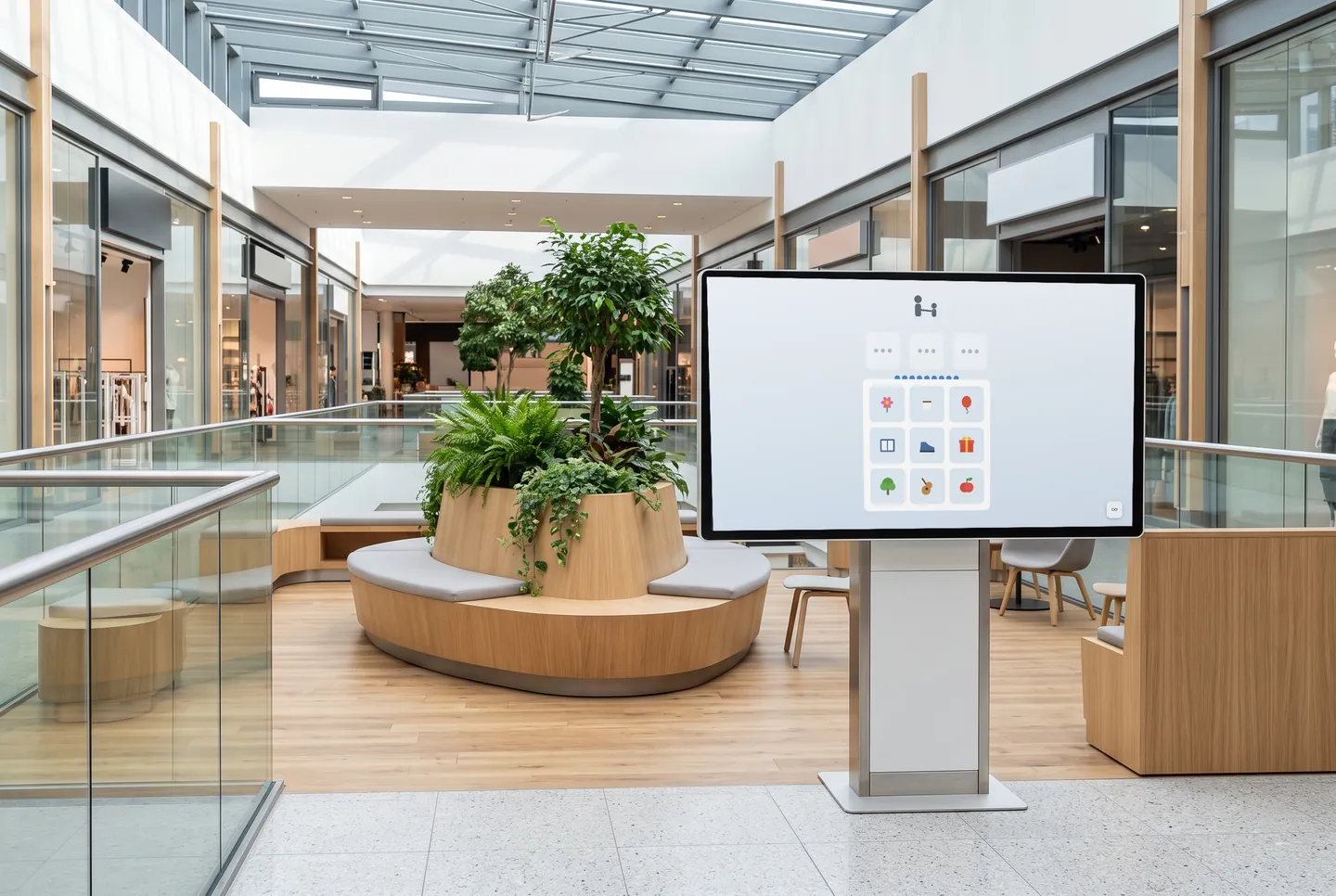
In the picture: The “Mall Treasure Hunt” game on a touchscreen kiosk in the mall

What families find at the touchscreen

For kids, parents and grandparents

In the can toss, up to four people throw at the same time, each at their own stack. In the community mosaic, everyone designs one tile of a shared picture, young and old together.

Runs on the kiosk you already have

The games come in 16:9, 9:16 and 1:1, so they fit tall touchscreen kiosks, too. Just add a URL to your player, with no new hardware and no app. The Game Box puts several games behind one URL.

Easter, the holidays and everything between

In spring, families hunt for Easter eggs; during the holiday season, they decorate the winter village; in between, there's the treasure hunt and can toss. News and weather on your other screens update on their own.

Games for kiosks and family areas

In the mall treasure hunt, three clues on an on-screen map lead to the right spot. Plus the Easter egg hunt, can toss, a community mosaic, a big daily puzzle everyone can add to, and a poll whose question you set in the dashboard.

  • Mall Treasure Hunt

    Three clues, nine squares: families find the spot on a drawn mall map.

  • Easter Egg Hunt

    Find hidden eggs in a spring world.

  • Can Toss

    Up to four players throw at the same time, each at their own stack of cans.

  • Community Mosaic

    Everyone designs one tile, together they make a big picture.

  • Big Daily Puzzle

    Visitors put together one big picture over the course of the day.

  • What Do Visitors Think?

    Your own question, answered anonymously—then the result as bars with vote counts.

The games are included in every paid plan. They need no sign-in and fit landscape, portrait and square screens. They run without sound, except the arcade games, which start with sound; you can switch it in the dashboard.

See all 113 games
How it gets on screen

On your screen in three steps

  1. 1

    Sign up for free

    Create an account, no credit card needed. The free plan includes all AI content channels.

  2. 2

    Choose your content

    In the dashboard, pick a channel, location, table or game, set format and language, and copy the ready-made URL.

  3. 3

    Add the URL to your player

    The URL goes into your digital signage system, next to your own content. From then on, everything updates itself.

What you should know

How much does a touchscreen game activity cost?

The games are part of the paid plans, starting with Starter. The Free plan costs nothing, needs no credit card and is meant for trying out the AI channels. Basic and Professional add more requests per day and more API keys for additional screens; Enterprise is available on request.

Do I need special touchscreen hardware?

No. The games run on touchscreens whose player displays web pages and passes on touch input, in 16:9, 9:16 or 1:1. You get a URL and add it. News and weather also run on regular screens without touch.

Do the games collect visitor data?

No. They run without sign-up and without entering personal data, and nothing is stored that points back to a person. That's why they aren't designed for sweepstakes or collecting contact details.

What happens when nobody is playing?

The Game Box puts several games behind one URL with a tile menu. After a period of inactivity, the screen returns to the menu on its own, ready for the next family. Sound is off, except for arcade games, which start with sound and can be muted in the dashboard, so it won't add to the Saturday noise.

Try it on your screen

Sign up for free, pick the content that fits and add the URL to your player.

Sign up for free