For pediatric practices

Flip a switch, wake the animals, tap a fish: games for pediatric waiting rooms

There's something to do on the touchscreen for every child—the two-year-old with a runny nose and the big brother who had to tag along. The kids' games start muted and need no sign-up.

  • Free plan, no credit card
  • Works with any digital signage system
  • Content updates itself
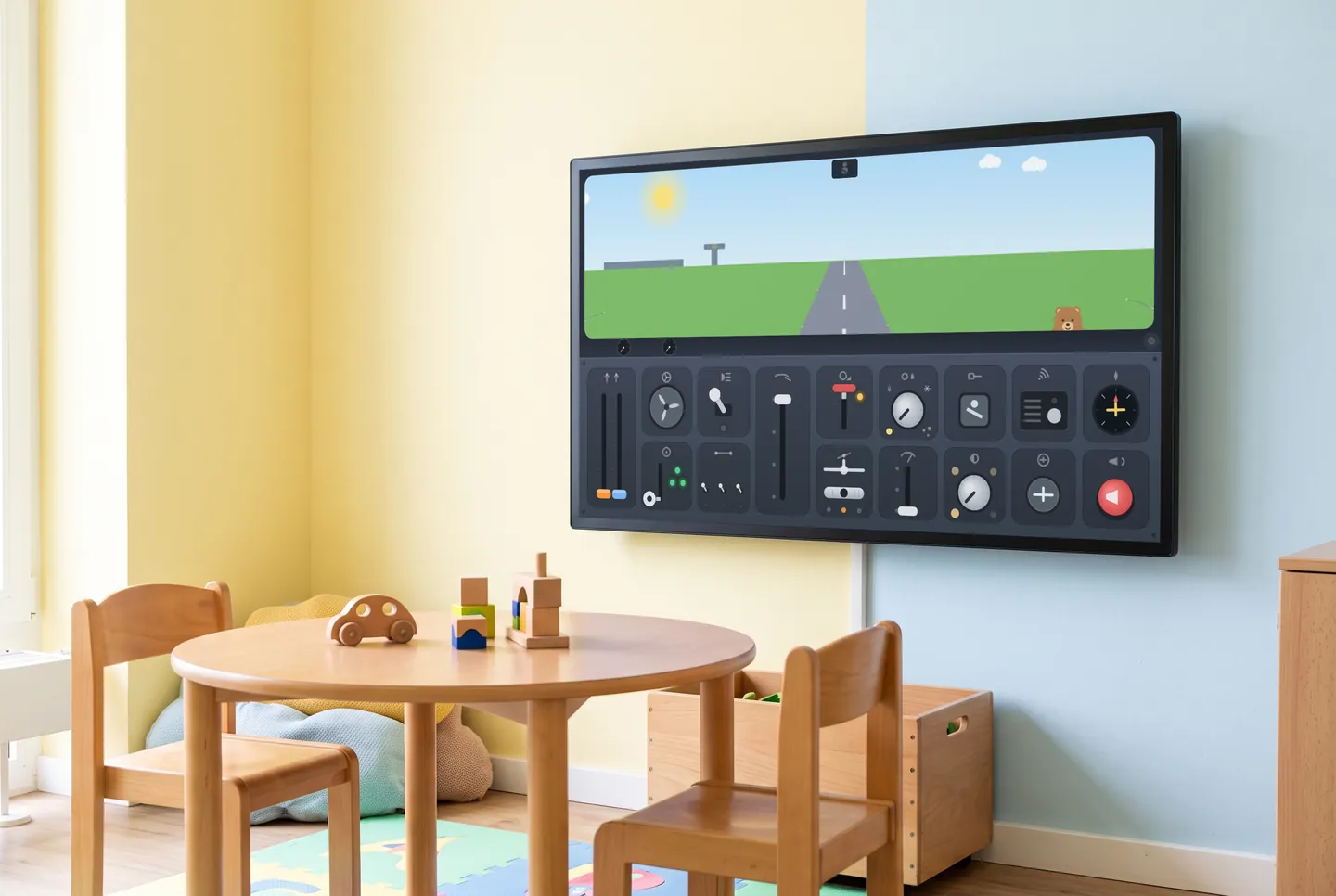
In the picture: The “Button Cockpit” game on the touchscreen in a pediatric waiting room

What the waiting room touchscreen can do

Something for every age on the bench

The Button Cockpit is made for the littlest ones, from about age two. The picture-book farm hides some twenty tasks, and Mini Memory lets you pick three to twenty pairs—right for preschoolers and second graders alike.

Tap it, and something happens

Every switch in the cockpit does something right away, and the sea creatures in the underwater window react to touch. A Game Box puts several games behind one URL; after a quiet spell, the screen returns to the tile menu.

Muted by default

Games start without sound; only arcade games start with sound, and you can mute those in the dashboard too. Each game tells you whether it uses audio at all. Nobody signs in or types a name, and your front desk can still hear the phone.

Six games for young patients

The hungry dragon only takes what fits, and My First Flight runs from packing a suitcase to takeoff. Like the farm, cockpit, memory and underwater window, they come with Starter and up.

  • The Lively Farm

    A busy farm scene with animals to wake up and about twenty little tasks.

  • The Button Cockpit

    Switches, levers and dials—find the start sequence and take off.

  • My First Flight

    From packing the suitcase to takeoff: a flight to play along with.

  • Underwater Window

    Sea creatures that react to touch.

  • The Hungry Dragon

    A friendly dragon only gets what suits him.

  • Mini Memory

    Short rounds with big cards, from three to twenty pairs.

The games are included in every paid plan. They need no sign-in and fit landscape, portrait and square screens. They run without sound, except the arcade games, which start with sound; you can switch it in the dashboard.

See all 113 games
How it gets on screen

On your screen in three steps

  1. 1

    Sign up for free

    Create an account, no credit card needed. The free plan includes all AI content channels.

  2. 2

    Choose your content

    In the dashboard, pick a channel, location, table or game, set format and language, and copy the ready-made URL.

  3. 3

    Add the URL to your player

    The URL goes into your digital signage system, next to your own content. From then on, everything updates itself.

What you should know

How do the games get onto our touchscreen?

Pick a game or a Game Box in the dashboard and you'll get a URL. Enter it into your digital signage system or player—anything that displays web pages can run it. Unlike a dedicated kids' kiosk, there's no hardware from us, but you do need a touchscreen. Formats: 16:9, 9:16 or 1:1.

What does it cost, and is the Free plan enough?

The games come with the Starter, Basic and Professional plans, and with Enterprise on request. The Free plan costs nothing, needs no credit card and includes every AI channel, so you can try out news and weather for parents. Games aren't part of the Free plan.

Will the games be noisy in the waiting room?

Not on their own. Muted is the default, and each game states whether it uses sound at all. Only arcade games start with sound, and you can mute them in the dashboard.

Do kids or parents have to sign up or enter any data?

No. The games run without sign-up and never ask for personal information. A child simply starts tapping. If nobody touches the screen for a while, the Game Box goes back to its tile menu, and the next child sees the full selection again.

Try it on your screen

Sign up for free, pick the content that fits and add the URL to your player.

Sign up for free